
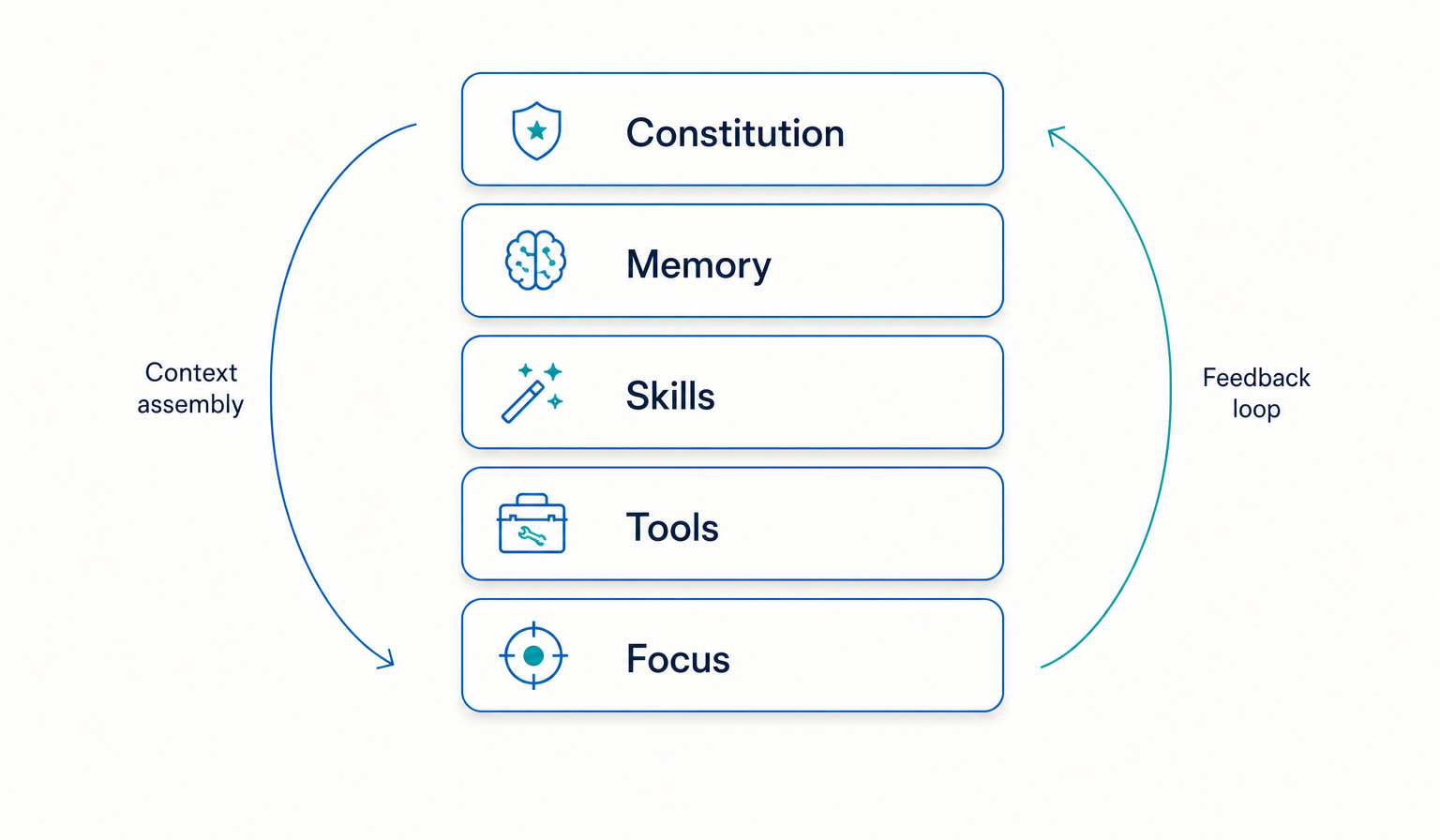
Most people who want a personal AI system never start, because the honest version of the advice sounds like a project. It is not a project. The first useful version fits into one evening, and everything after that is small edits.
This is the sequence we teach, written plainly. It is free, it uses files you own, and nothing here requires you to sign up for anything. If you want the templates while you read, they are in the starter kit.
Make the folder, before anything else.
Create one folder somewhere you already back up. Call it whatever you like. Inside it, three subfolders: context, skills, notes. That is the entire architecture. Twenty minutes at most, and most of that is deciding on a name.
Use plain text or Markdown files. Any editor works. The reason is not aesthetic: plain files can be read by any AI tool you use now and any tool you switch to later, and nobody can take them away from you.
Write the constitution file. One page.
In context/, create constitution.md. Write who you are, what you are working on right now, what you care about, and how you want an AI to behave with you. Be specific and be honest. If you hate being called a visionary, say so. If you want short answers with no preamble, say that too.
A first version can be a page. It will be wrong in places, and that is fine, because you will edit it every week. The annotated sample in the starter kit exists so you are not staring at a blank file.
Then paste it at the top of your next AI conversation, or attach it if your tool supports project files. The change in answer quality is immediate and it is the reason people keep going.
“The first version should be small enough to finish tonight.”
Write two skills, not ten.
A skill is a named job, written down once, so you never re-explain it. In skills/, create two files for the two things you do most often. Weekly review. Client email draft. Meeting notes to actions. Pick whatever is actually repetitive in your week.
Each file says what triggers the job, the steps in order, and what a good result looks like. Ten lines is enough. People who write ten skills on the first evening abandon nine of them.
Book the weekly loop, then stop for tonight.
Put thirty minutes in your calendar, weekly. In that half hour you do one thing: open the constitution, fix anything that is no longer true, and add anything the last week taught you. That loop is what separates a system that stays useful from a folder you abandon.
Tools and connections come later, once you know what you actually repeat. Connecting an AI to your calendar and inbox before you have written down how you work just automates guesswork.
That is the whole evening: a folder, a constitution, two skills, one recurring half hour. The starter kit has the templates and the sample files, free and without a signup wall.
If you want to understand why the layers are ordered the way they are, the AIOS overview explains each one.
Designing the perfect structure instead of using a rough one
A tidy empty system helps nobody. A messy system you use every day gets better every week.

Entrepreneur from Latvia. Building FullDigital so people stay free in the age of AI. I write about what actually works in my own week, not what sounds good on a conference stage.
Connect on LinkedIn